
Where can you download the free demo?
The official Steam page for Nomad Drive Demo is the verified installation destination collected for this research. It identifies a separate Windows demo and offers the free sample rather than a third-party repack or an unofficial mobile file. The app identifier is 4568400, which helps distinguish it from the main Nomad Drive store entry.
Use that identity check when several search results all promise a download of the same game. A matching game name can appear beside videos, guides, and unrelated package pages without identifying the official playable sample. Following the actual Steam demo listing keeps the product, developer, and platform information attached to the application you intend to install.
How is the demo different from the main game?
The main Nomad Drive product is App 2223980, while the demo is App 4568400. Those separate app records are important because the existence of a playable sample does not establish that the main product has launched. At the October 25 research check, the main store still gave October 27, 2026 as its planned Early Access date.
The demo therefore answers the immediate question of whether there is a free way to try a sample on Windows. It does not answer every question about the later Early Access build, its purchase availability, or the eventual finished game. Keep those product scopes separate when comparing a demo session with an announcement about the main release.
What does the official demo announcement describe?
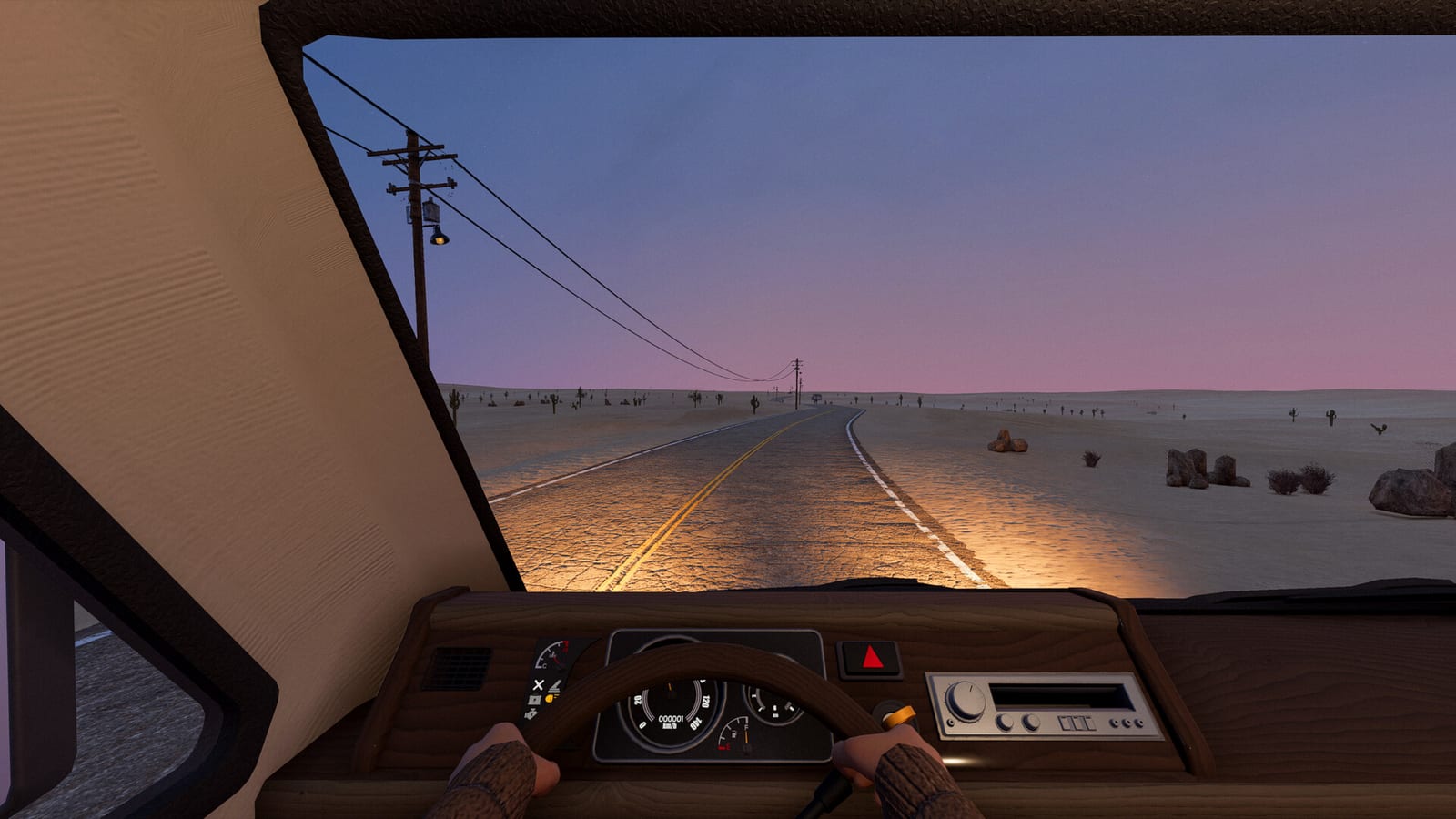
The developer’s Steam Next Fest launch notice describes preparing an RV and exploring a procedurally generated desert. That is the supported outline of the playable sample used here: getting the vehicle ready, heading into the environment, and engaging with the road-trip survival premise. It is an orientation to the experience rather than a promise of an identical route or guaranteed sequence of discoveries for every player.
The collected demo summary also discusses vehicle assembly, exploration, survival, and solo or co-op play. Those broad activities are useful for deciding whether the sample is relevant to what you enjoy. They should not be stretched into invented item coordinates, fixed loot outcomes, or detailed instructions that the source material did not actually establish.
What should you check before your first session?
First, confirm that you opened the demo application rather than the main-game store page. Then read the requirements attached to that demo, because the verified download is a Windows PC application. These checks establish the software and platform you are preparing to use before you rely on advice from another edition or from footage of a different build.
When planning the session itself, the official announcement provides the appropriate starting expectation: prepare the RV before exploring the desert. Use the sample to become familiar with that repair-and-explore loop rather than expecting a full campaign route from this page. The collected material does not supply a universal completion time or a guaranteed end point to organize your session around.
How should you read solo and co-op information?
Solo and co-op are part of the collected description of the demo experience, but player-limit wording has changed across the game’s surrounding material. Earlier demo announcements used smaller session wording than the current main-game listing. This is why a statement about the main product should not automatically be repeated as a guarantee for every demo build.
If you are arranging a session with friends, check the current information for the version everyone intends to use. A historical video description can accurately describe its own demo session without settling the current limit for another build. The important distinction is the application and update context, rather than simply whether the word multiplayer appears beside the game’s name.
Why October playtest footage needs separate treatment
The research found a gameplay candidate whose title said FULL GAME while its description identified a Playtest. That combination did not prove that the footage represented the public demo or a publicly released main game. It is a reminder that a video headline can simplify the build context in ways that matter when you are deciding what your own installation will contain.
Other candidates explicitly identified themselves as demo first looks, which provides useful scope information without establishing every mechanism shown. Complete video transcripts were not obtained during the research, and no title or description is substituted for independently observed detailed gameplay. Use the official demo page and developer announcement for availability, then keep any footage attached to the build it actually identifies.
Which assumptions should you leave out?
The collected material does not confirm that demo saves transfer into the main game. It also does not establish a fixed date when the demo will end or a guarantee that its contents match every Early Access feature. Those are important questions, but inserting a confident answer without supporting evidence would make the download guidance less reliable.
Likewise, a free sample should not be treated as a source for an assumed price of the main product. The official main listing is the place to check purchasing information when it becomes available. Keeping download, progression, and purchase questions separate lets you use the demo for what is actually confirmed without building expectations around details absent from the research.
What is the practical next step?
Open the official demo listing, confirm App 4568400 and its Windows requirements, and use the free installation offered there. If you are also following the main game, check App 2223980 separately for its current release status and Early Access announcements. That gives each official page a clear purpose instead of making one store entry stand in for both products.
The research supporting this answer was checked on October 25, 2026, when the demo was available and the main launch was still planned. The demo’s recorded release date is June 15, 2026, while later main-game scheduling belongs to a different application. That distinction is the key to trying the verified sample now and understanding why a playable demo is not evidence of a completed main-game release.
Use the sample to judge its central activities
The official demo announcement gives you a useful focus for a first look: preparing the RV and exploring the procedural desert, rather than searching for an unverified reward or a promised route from a video title. The collected demo summary also places assembly and survival within that sample, so those are relevant activities to evaluate during your own session. Treat what you experience as an observation about the installed demo instead of a guarantee about the forthcoming main game. This lets the free sample inform your interest in the road-trip premise while keeping later playtest and Early Access claims attached to their own versions.