
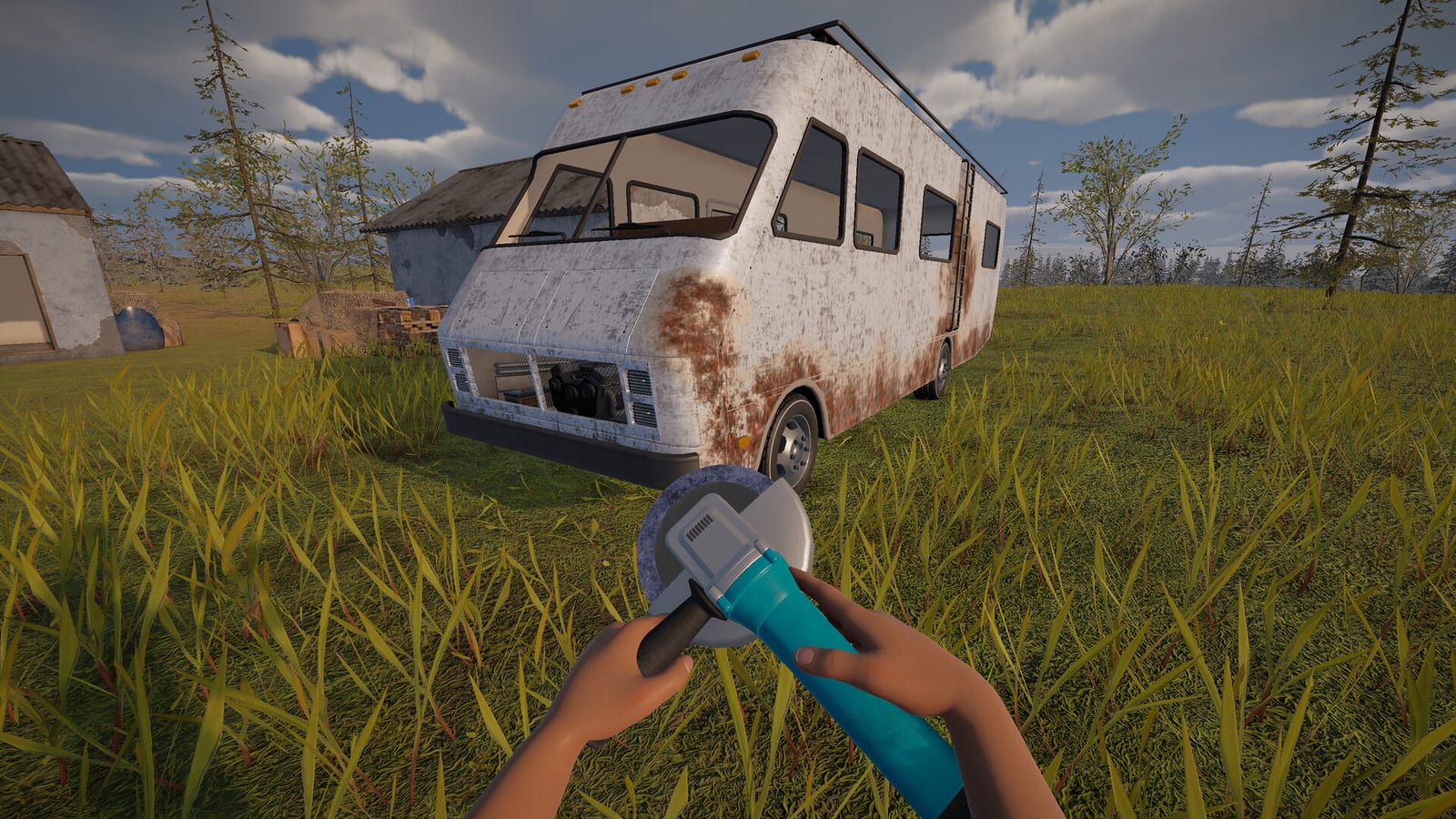
Look for the C-Class while exploring roadside locations
The larger C-Class RV is the supported target when you want more than the starter vehicle. The research identifies it as a world-spawn vehicle in the documented demo. Player reports describe finding larger RVs during roadside exploration rather than through a verified purchase menu. Begin with that distinction so that a search for a motorhome does not turn into a search for an unsupported shop.
Gas stations, radio stations, and watch towers are candidate location types in the collected demo analysis. Firsthand discussion independently supports discoveries at gas-station and watchtower-like stops. These descriptions help you decide which places deserve an inspection as you travel. They are not coordinates, guaranteed spawns, or a promise that every example of the same location type contains an RV.
Expect a search rather than a guaranteed encounter
The Steam discussion contains different experiences of the same larger-RV goal. Some players report a discovery and describe preparing the vehicle, while another had spent a long time looking without success. This variation is why the guide does not give one required driving time or distance. Finding nothing at one candidate location does not rule out the vehicle elsewhere.
An official hotfix addressing C-Class spawning provides important context for older reports. A discovery made before a spawn adjustment may not describe the same conditions as your current build. At the same time, a spawn fix does not establish that the vehicle appears at every subsequent stop. Use the patch history to interpret reports without turning it into a set of unpublished spawn odds.
Inspect the larger RV before moving your equipment
Finding a larger shell is not the same as finding a ready-to-drive home. Check what the vehicle contains, what it lacks, and what its current condition indicates. The research does not establish an identical default list of missing parts for every found C-Class. Let the individual vehicle you discover determine the preparation it needs.
This inspection should happen before you commit useful equipment from the starter van. The practical purpose is to identify whether the larger RV offers a workable next step with the parts available to you. A familiar vehicle name does not remove the need to inspect its actual components. Nor does a successful discovery in another player’s world guarantee the same equipment state in yours.
Treat part transfers as item-by-item decisions
Firsthand players describe moving wheels, seats, and an engine into a larger RV. Those reports support the general idea of preparing a found motorhome with equipment rather than assuming it is immediately usable. They do not establish universal interchangeability for every part from every vehicle. Keep the difference between a reported transfer and a complete compatibility rule in mind.
Inspect the interaction for the specific part and receiving vehicle in your build. Avoid assuming that a part will fit solely because it came from your starter van. The collected material does not provide a verified component chart that could settle every possible swap in advance. Preparing the RV carefully is more reliable than transferring everything on the strength of a single successful player example.
Check the systems that keep the RV moving
Once you have assessed the parts, the usual vehicle checks still matter. The documented starter workflow includes fuel and radiator water, while official ignition diagnostics distinguish engine, battery, fuel, and handbrake problems. A larger RV does not make those systems interchangeable or remove the need to read the warning. Use the vehicle’s current feedback to identify the preparation still required.
If the engine is damaged, the engine guide covers the matching repair-kit or working-replacement route. If the battery is depleted, the battery guide explains the charger and spare options supported by player reports. If cooling is the issue, the documented demo uses water in the radiator. These are separate checks, so repairing one component should be followed by another look at the overall diagnostic state.
Understand what the official updates actually confirm
The developer’s C-Class spawn fix establishes that the vehicle is part of the playable vehicle system. A later stability update mentions handling and detail improvements for RVs, including the C-Class. These are stronger evidence of the motorhome’s role than simply recognizing its body in a promotional scene. They support searching for and preparing the larger vehicle in the documented demo context.
They do not publish a fuel-efficiency comparison, storage-capacity figure, or speed ranking against the starter van. This guide therefore does not claim that the C-Class is universally better for every journey or that it carries a particular numerical advantage. The confirmed benefit for this search is the availability of a larger RV option. Your decision to move should be based on the actual vehicle and equipment you can inspect.
Separate finding the RV from deciding to move
A successful search and a sensible vehicle change are related, but they are not the same decision. Finding a C-Class answers whether you have encountered the larger motorhome in this run. Inspecting its components answers what preparation this particular example needs before it can take over from the starter van. Make the second decision from that inspection rather than treating discovery alone as an instruction to move all your equipment immediately.
The player reports are useful because they show that preparation and transfers can be part of using a larger RV. Their limits are useful too: the research does not independently establish every part combination, every default condition, or an exact amount of work for your discovery. Keeping the starter vehicle and your current supplies in the decision helps avoid committing to a change before you understand the candidate. The purpose of the search is to create another transport option, so consider the found vehicle’s actual readiness alongside its larger size before making it the centre of the next stretch of your journey.
Keep demo discoveries separate from newer footage
Videos of larger motorhomes can be useful prompts for what players are discussing, but their build matters. The collected research includes recent upgrade footage whose description does not establish an exact version. It also identifies a walkthrough titled full game that actually describes a playtest. Neither title alone is enough to prove that a feature or vehicle state applies to the public demo.
This answer reflects material checked on October 25, 2026, and does not claim an exhaustive launch-build vehicle list. It also does not provide a vanilla buying method, guaranteed spawn distance, or default equipment layout. For the documented demo, search candidate roadside locations, inspect the C-Class you actually find, and prepare it according to its condition. Keep your starter vehicle’s usefulness in mind until the larger RV is ready for the journey you want to make.