
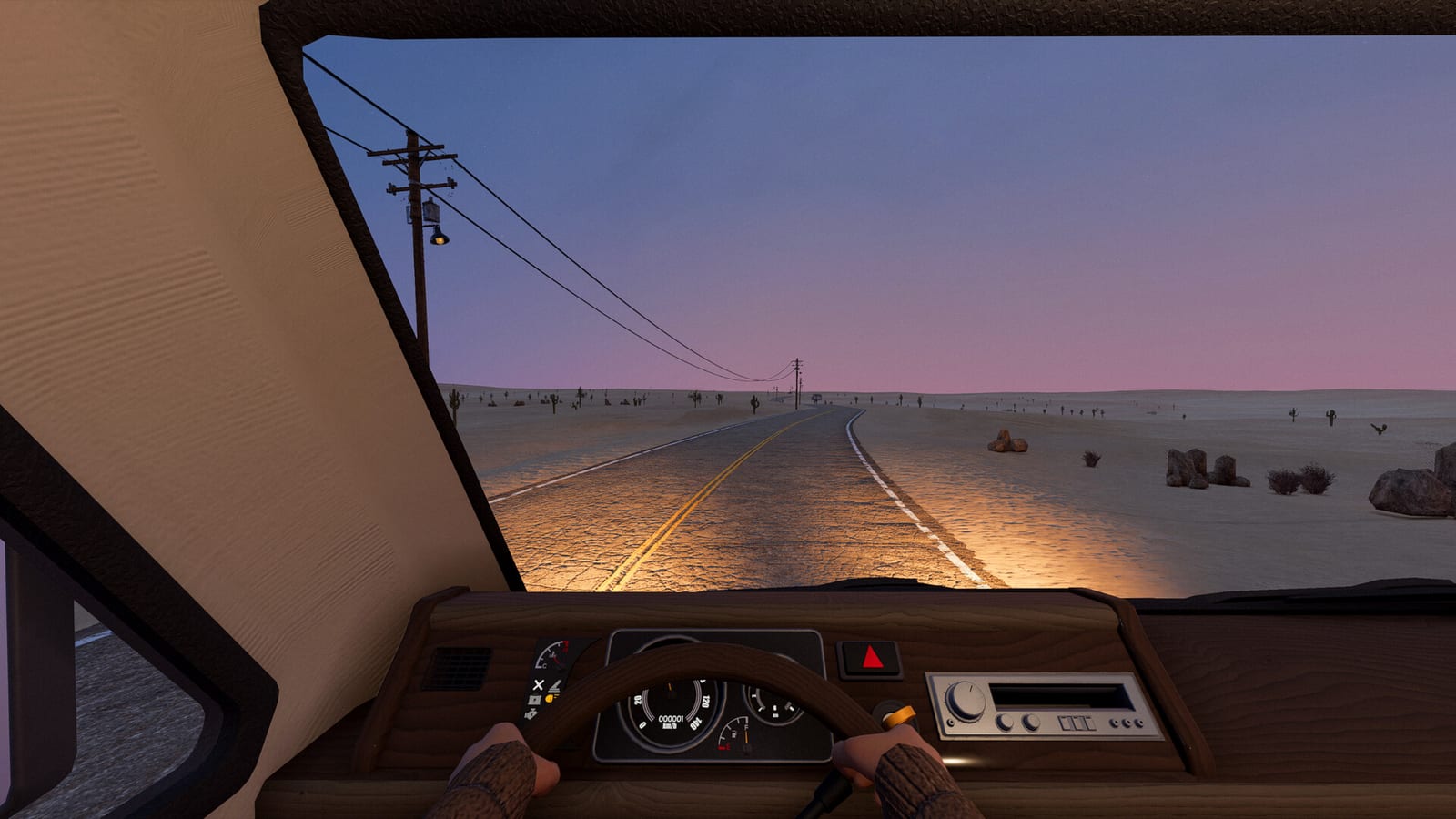
Follow the opening objectives before chasing a perfect run
The documented demo begins with an objective-led introduction rather than an established route to a guaranteed loot haul. Its opening sequence starts with tools, continues into vehicle assembly, and then moves toward getting the engine running. Collect the flashlight and compass when the objectives introduce them, and use the vehicle task as your immediate goal. This keeps the beginning focused on becoming mobile rather than searching for an unverified ideal start.
The collected analysis refers to demo build 25361176, so this workflow should be read in that context. It is not a claim that the writer personally played every build or that every later version presents identical prompts. If an objective differs in your installation, follow the information that version supplies. The useful principle remains to complete the required vehicle preparation before treating the open road as the next task.
Assemble the starter vehicle and inspect its condition
The starter vehicle identified in the demo research is the Hippie Van. Its opening role is to introduce the repair-and-drive loop, with parts and preparation standing between you and the first trip. Inspect what the objective asks you to assemble rather than assuming that a vehicle body is ready because it looks complete. A missing component and a damaged installed component are different problems to identify.
The developer’s mechanical-parts diary introduces discoverable components and repair kits as part of that loop. Engines, batteries, and repair equipment should therefore be recognized as separate items rather than interchangeable solutions. Check what the vehicle actually contains and what the current interaction allows before moving a part. The research does not provide a universal compatibility chart or an exact starting layout for every possible vehicle encounter.
Add fuel and radiator water before the first drive
Fuel and radiator water are part of the documented opening preparation. For the demo’s coolant task, water is the supported liquid, with both player reports and demo analysis agreeing on its use. Inspect the contents of the container you find, target the radiator, and follow the visible transfer interaction. Afterwards, check the level and objective rather than assuming that holding a container near the vehicle was enough.
Keep the fuel task separate from the radiator task. A liquid container’s appearance does not prove that it contains what the selected vehicle system needs. The collected material does not establish a fixed amount, pour count, or guaranteed container location for the coolant objective. Use the build’s feedback to judge whether preparation is complete, and avoid substituting an unrelated liquid simply because it is available.
Read the ignition warning if the vehicle will not start
The official quality-of-life patch describes ignition diagnostics for engine, battery, fuel, and handbrake problems. Read that message before deciding what to repair or replace. A no-start situation is an outcome shared by several faults, not proof that the engine itself is damaged. The correct next step depends on which system the message identifies.
For a damaged demo engine, the supported routes are an Engine Repair Kit or working replacement. For a depleted battery, player reports corroborate a Battery Charger or a working spare. If the warning identifies fuel or another remaining condition, address that issue instead of continuing with the previous item. After each change, read the warning again so that one resolved fault does not hide another.
Pack supplies before leaving the starting area
The collected beginner answer calls for drinking water, food, and useful spares before setting off. That is a preparation goal rather than a precise shopping list or a guaranteed survival timer. Look at the supplies you actually have and distinguish them from resources already committed to the vehicle. Water used for the radiator, for example, should not simply be assumed to remain available for another purpose.
Useful spares should relate to the faults you can identify and the equipment you know how to use. A working battery or matching repair item has a clearer role than carrying something solely because it resembles an automotive part. The collected material does not establish ideal quantities for every trip. Start with a deliberate reserve and a vehicle you understand, rather than an invented loadout that promises to solve every future problem.
Use roadside stops as a chance to reassess
The guide’s documented ongoing workflow is to recheck supplies and vehicle condition at roadside stops. The purpose is to notice what the journey has changed before beginning another stretch of travel. Review what you have used, what the vehicle is reporting, and whether the next objective requires a different item. This keeps scavenging connected to a current need rather than an unsupported route promising a particular reward.
Roadside exploration can also lead to a larger RV, but that is not guaranteed at a specific stop. Firsthand players describe finding and preparing a C-Class motorhome, while developer patches confirm its role in the vehicle system. Inspect any candidate vehicle before moving equipment from the starter van. A bigger vehicle is a separate decision from the immediate goal of keeping your existing transport and supplies usable.
Keep the first trip focused on the problem in front of you
A useful beginner decision is to distinguish what is necessary to leave from what would simply be interesting to find. The starter objectives, vehicle warnings, fuel, radiator water, and travel supplies all have clear roles in the documented opening. A larger RV or another piece of equipment may be useful later without being the missing answer to your current objective. Work through the actual preparation task before expanding the run into a search for every possible vehicle or item.
This also makes specialist help easier to use when something goes wrong. A battery warning leads to the battery recovery methods, a damaged-engine warning leads to the appropriate repair decision, and a coolant question leads back to water and the radiator. You do not have to treat all vehicle maintenance as one unexplained obstacle or assume that one guide contains a universal item solution. Identifying the immediate question, checking the matching feedback, and returning to the trip after resolving that question gives the opening a manageable order without adding invented objectives, guaranteed rewards, or a fixed route through a changing world.
Learn additional systems without confusing different builds
The documented opening analysis says later objectives introduce cooking and planting. Treat those as the next systems to learn after the first vehicle workflow, rather than guessing recipes or growing schedules in advance. The research collected for this beginner page does not establish an exhaustive crafting list or a scripted sequence of hostile encounters. Follow the actual objectives and item information when those mechanics appear.
This guide is based on material checked on October 25, 2026, with public-demo observations kept separate from October playtest footage. One walkthrough title says full game even though its description identifies a playtest, so its title cannot prove a feature belongs to your demo. For the supported opening, collect the tools, prepare the starter vehicle, diagnose the ignition, and pack your supplies. Once those steps are settled, you have a clear basis for learning the road rather than depending on unverified shortcuts.